Security
Now we can go ahead and click on the "Security" option that will take you to
the "Security" page where we can configure any security settings we require.
You can set a Login timeout, which is the number of minutes it will take for
your site to timeout and log you out. You can also enable
User History logging
which will log whenever a user signs in.
You can also set up 2-factor Authentication, which means you can use an
authenticator app or email to send you a one time password to log in as well
as typing in your password. Finally you can add your active directory credentials
so that you can sync your AD events into the system. Once you are happy with
your Security settings you can click the save option in the top right!
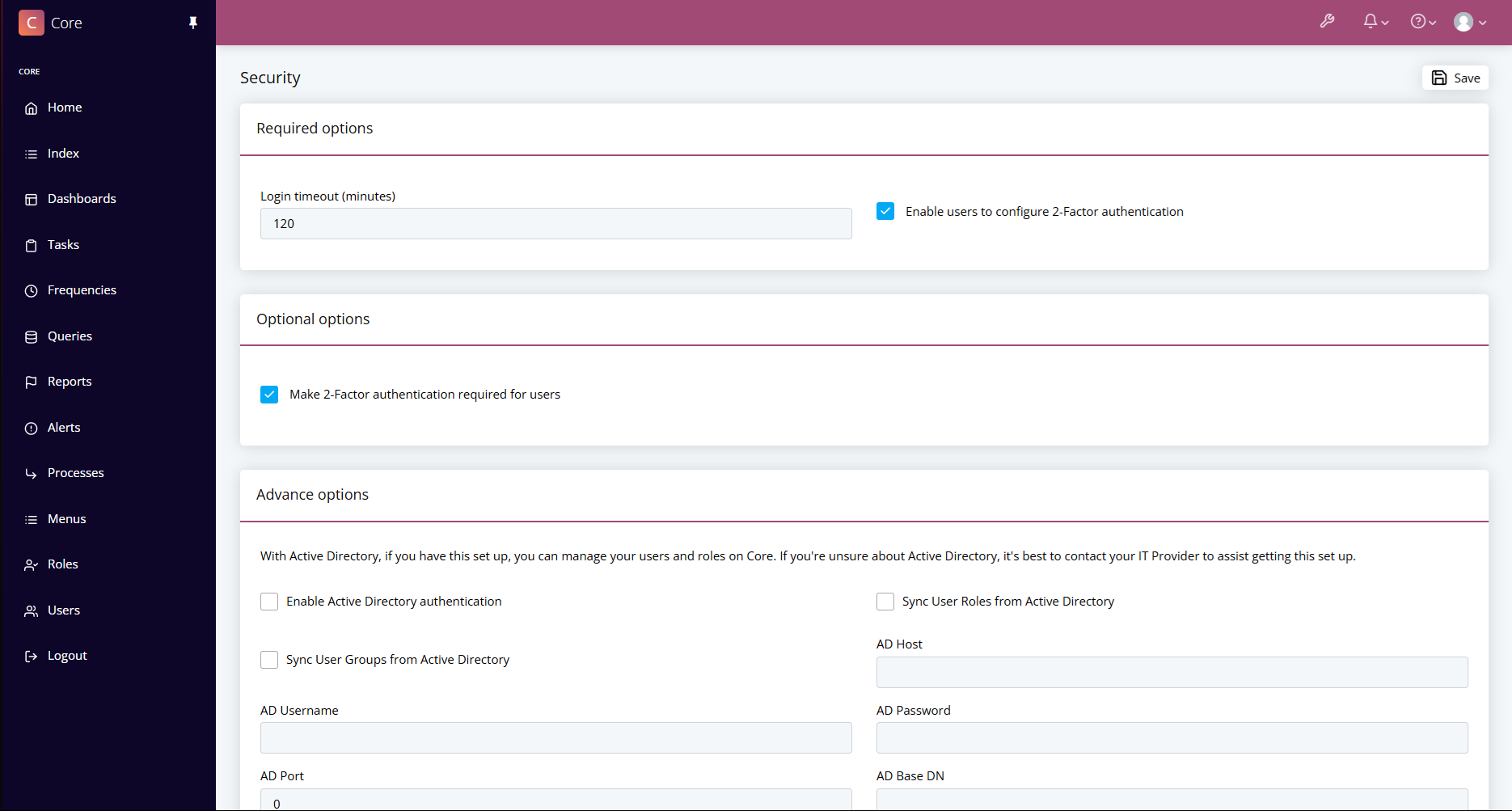
Security Options
In the Security section you will find options to set up your security for when users sign in.
You will see settings related to Active Directory authentications and also 2-factor Authentication settings.