Quotes
Creating a Quote
This example will be centred around a furniture supplier/delivery company.
The first step of the process is creating a quote for a client:
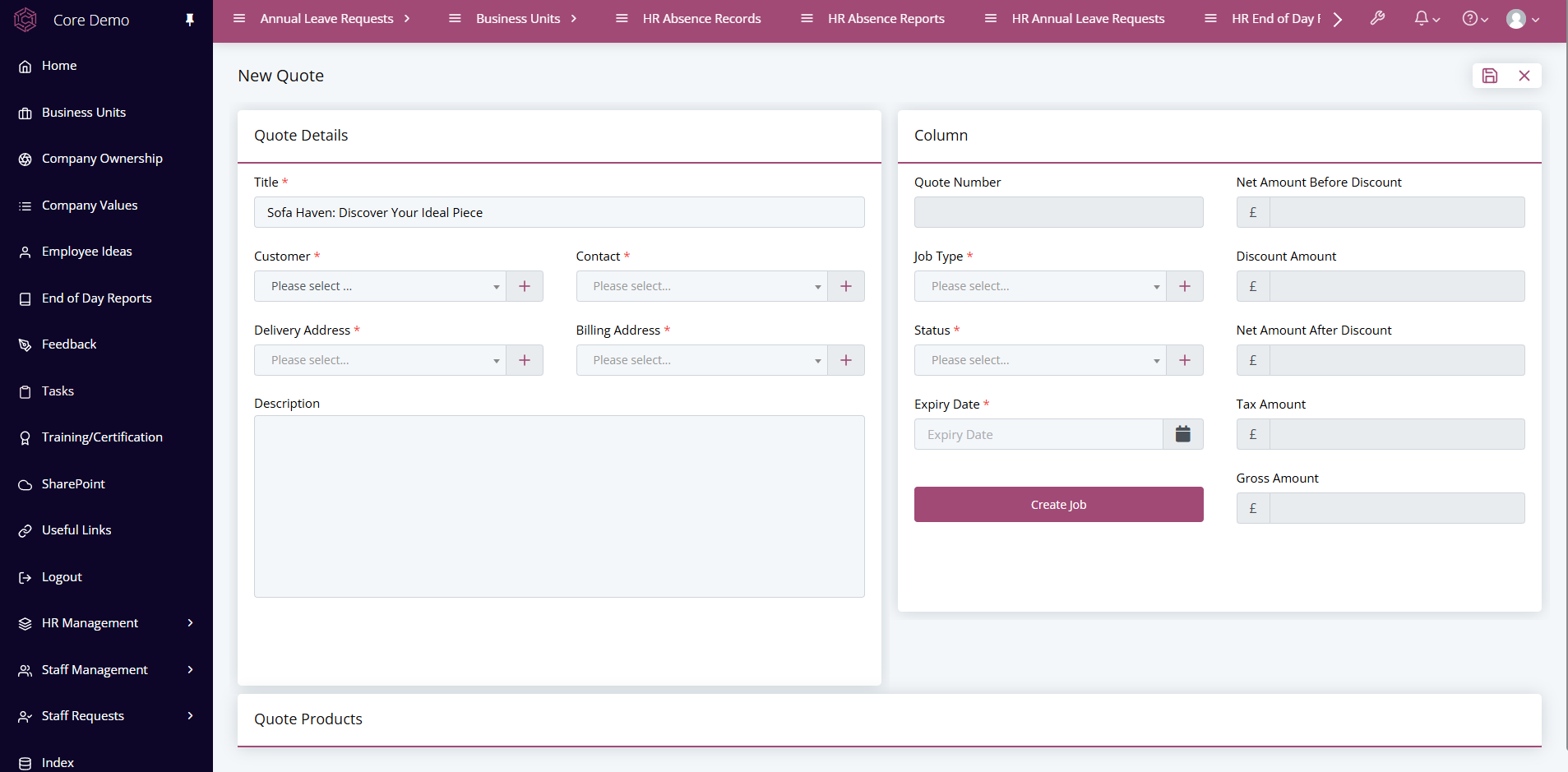
This form includes all of the information relevant to the quote. By selecting
a customer from the drop down menu the billing information will be filled in
automatically thanks to the implementation of related fields. The rest of the
available required fields have to be filled in manually.
Adding Products
Once the quote has been saved, the option to add a product will appear.
Clicking the "add item" button will open this area:
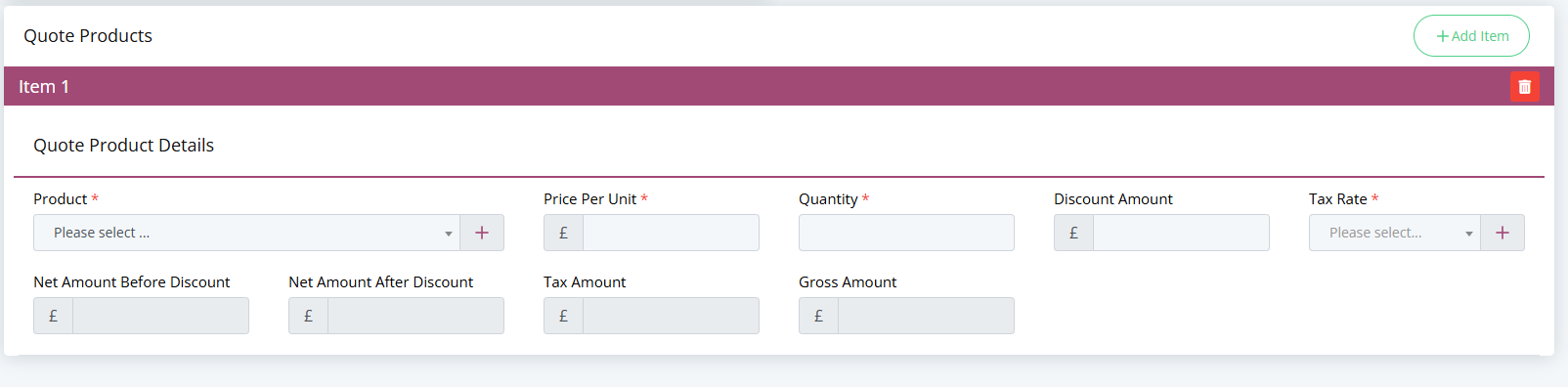
A product can be selected from the dropdown menu which will autofill all of the other fields except for quantity and discount amount. Multiple products can be added to the quote if necessary. After saving, there shouldn't be anything left to add to the quote.
Now that we have a quote and some products involved it's time to turn it into an actual job. This form conveniently has a "create job" button attached which will allow us to proceed to the next stage.