Reports
What is a Report
Reports on Core let you turn a Query into a full report. These can be viewed at anytime and can be downloaded to a spreadsheet. A query is required for report.
Creating a Report
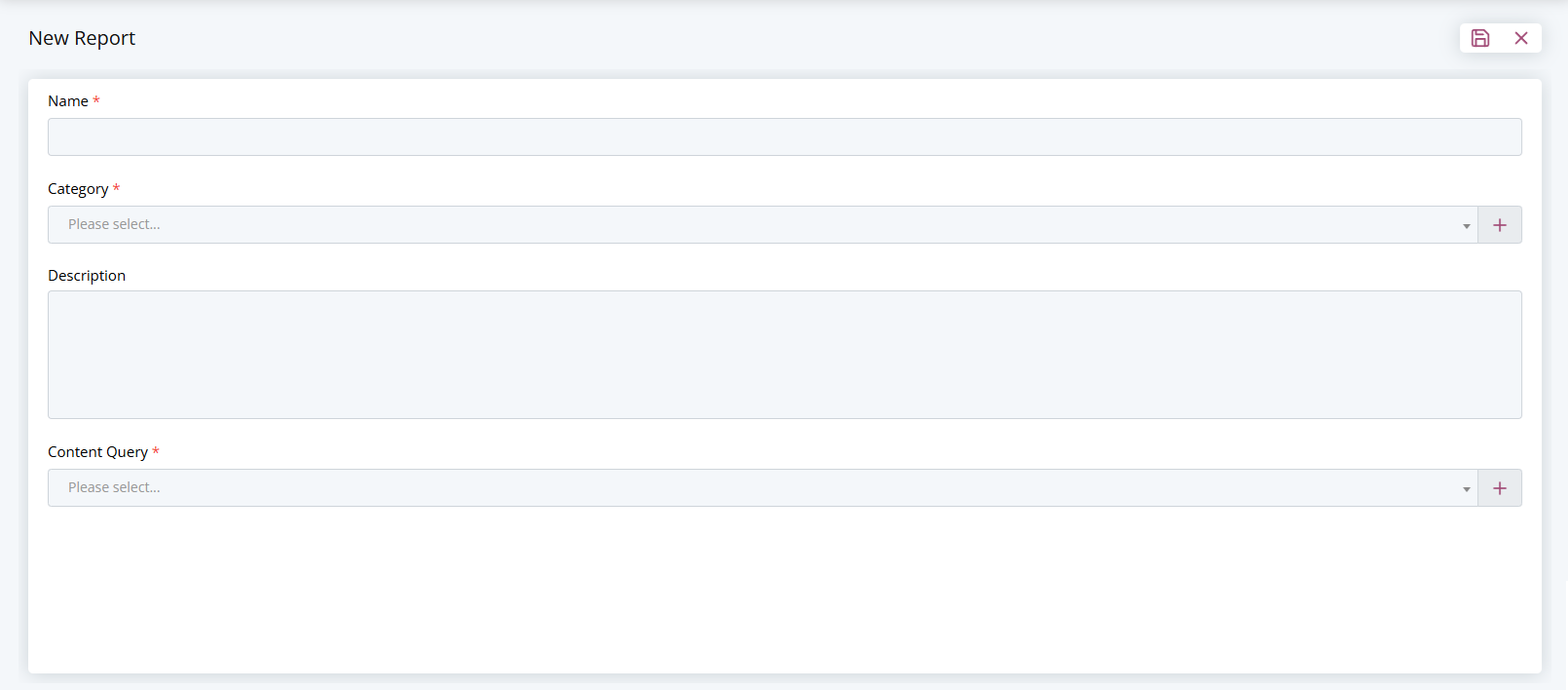
To build a new report, firstly go to the content type Reports. Once the list view loads, click on the plus icon on the top right hand side of the screen.
| Option | Definition |
|---|---|
| Name | This field is used to give your report a distinctive name. |
| Category | This field is used to enable you to select which category your report falls into. |
| Description | This field is used to describe what the report does and what it is used for. |
| Content Query | This field is used to specify which content query this report is pulling data from. |
Viewing the Report
Once the Report has been made, you can view the data without needing to download a file by clicking 'View' on the Report made.
If you would like to download a spreadsheet of the information, you can click 'Run Now' on the report which will download a spreadsheet with the data at that point in time.
Scenario
You can now save this by clicking the save icon in the top right corner.
You have now created a report that relates to the content query we have just built!
If you would like to create an alert that relates to this you can click the following link: Building an Alert