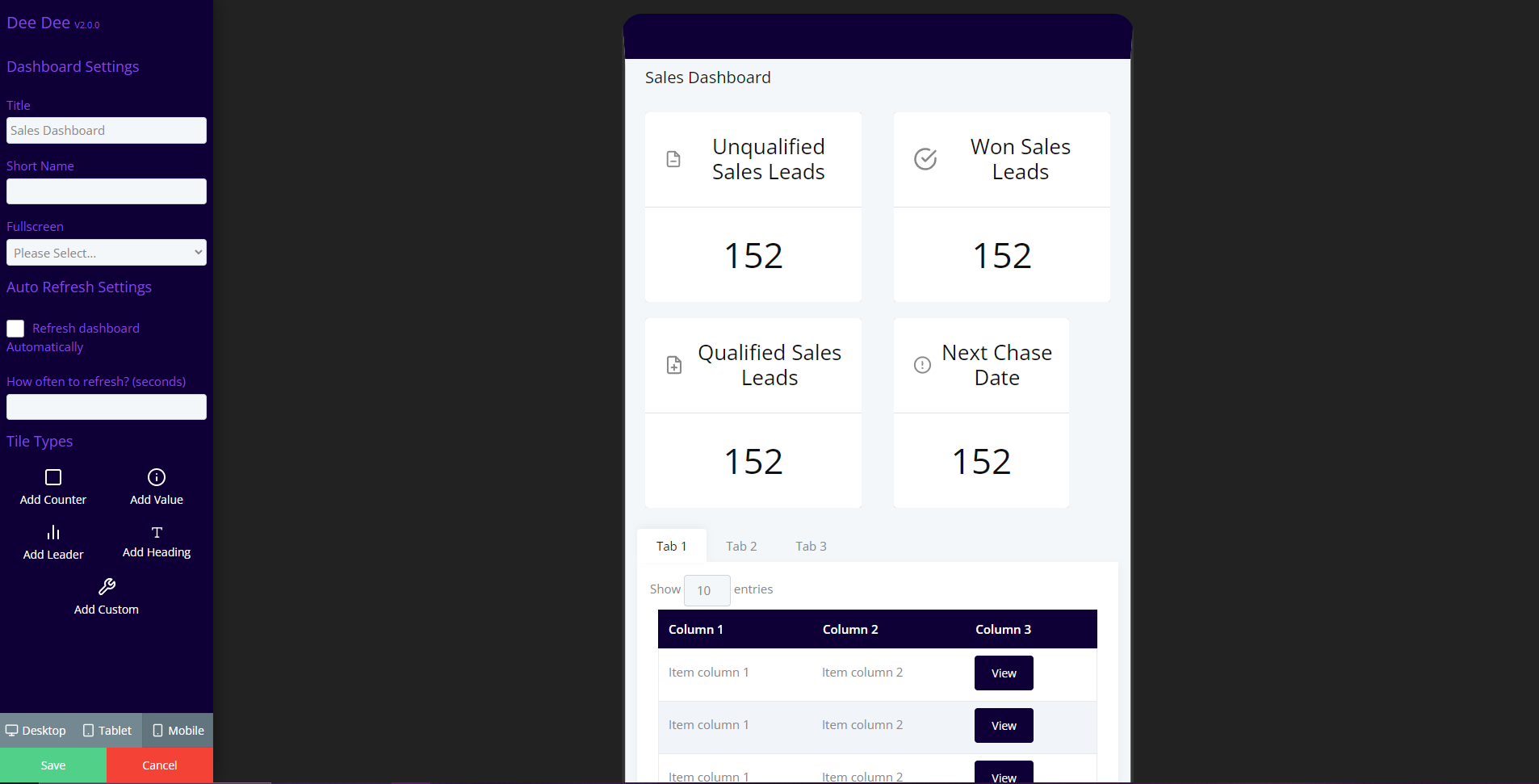
Dashboard option Definitions
Main Option Definitions
| Option | Definition |
|---|---|
| Title | The title of dashboard. |
| Short Name (Optional) | the shortened title of your dashboard. |
| Fullscreen | Option to enable/ disable the full screen display function. |
| Refresh Dashboard Automatically | Option to enable/ disable the automatic dashboard refresh. |
| How often to refresh? (seconds) | If refresh is enabled how often do you want it to refresh in seconds. |
| Add Counter | Add a card that counts the instances that meet a certain condition. |
| Add Value | This option allows you to display the value of the first instance on a content type. |
| Add Leader | Add a leader board onto the dashboard. this shows the top 5. |
| Add Heading | Add a heading to the dashboard. |
| Add Custom | Add a custom blade if required. |
Counter Option Definitions
| Option | Definition |
|---|---|
| Title | Counter Title. |
| Content Query | Select a content query for the card to use. |
| Which field to use | Select the field to use in the Value Card. |
| Custom Blade | Here si where you can define a custom blade if required. |
| Alignment | Select an option to specify where you want the text to align inside of a card. |
| Title Size | Control the size of your card title. |
| Icon | Give your card an icon. |
| Icon Colour | Give your icon a colour. |
| Show a list at the bottom of the dashboard | Show the list of instances below your card. |
| Link to the full list? | Add a link to the full list of instances underneath your card. |
| Flip Card | Allow your card to flip when you hover over it. |
| Flip Text | Add text that will be displayed on the front of your flip card. |
| Flip when | Specify whether you would like your card to flip always or when there are no instances. |
| Reverse flip? | Option to reverse the flip. |
| Flip Icon | Add an icon to the flip card. |
| Flip Colour | Add a colour to the icon on your flip card. |
Desktop/ Tablet/ Mobile
In the dashboard builder you can drag and drop a layout for desktop, mobile and tablet users! Simply click on one of the device option at the bottom of the dashboard builder and create your layouts for each device type.