Creating a new User
In this section we will go through the step by step process of creating a new user. You can either follow the steps below or you can view our video tutorial by clicking the following link:
Video Tutorial - Creating a New User
To create a new user, simply go to the content type called Users and click on the plus button on the top right corner of the page.

Once loaded, fill in the necessary information related to the new user for example, first name, last name, email address and password. You can also allocate them to a site by clicking one of the checkboxes as below:
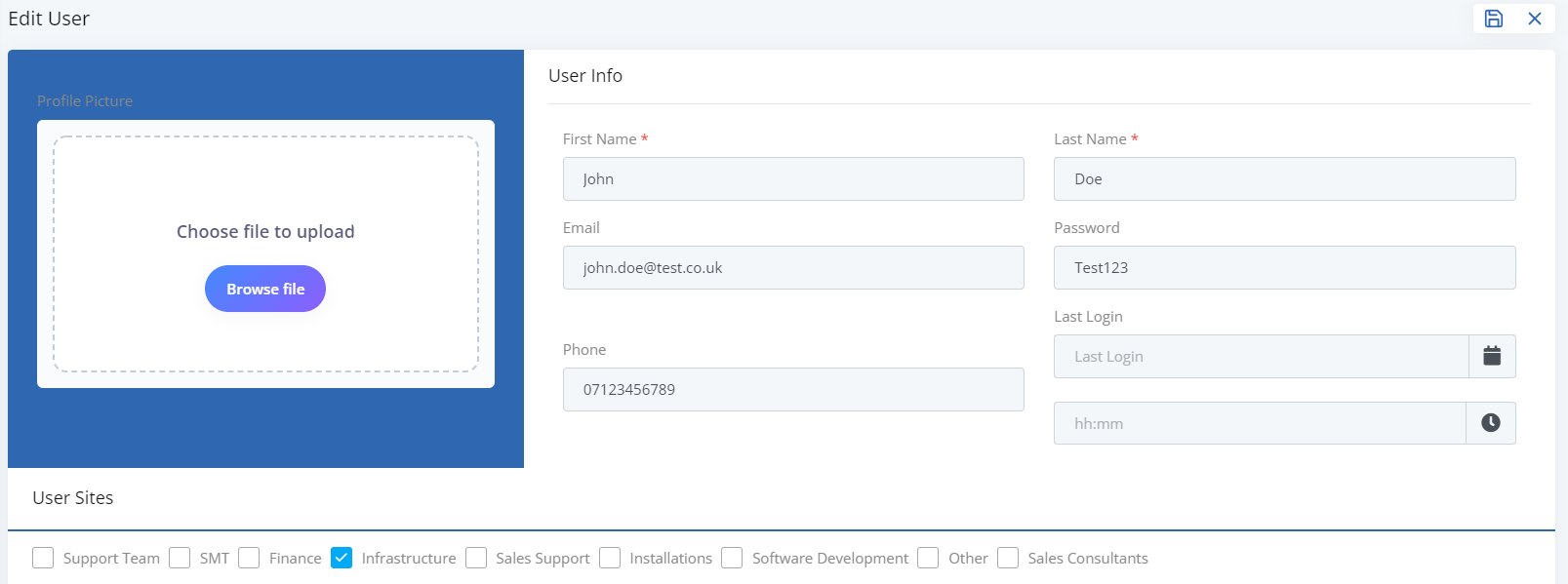
Once you are happy with the information you have inputted you can save by clicking the save icon in the top right hand corner.
You have successfully created a new User!
If you would like to find out how to edit an existing user, you can click the following link: