Permissions
In this section we will cover what permissions are used for and how to set them.
Permissions are used to give access to users and groups where required. We can set permissions in many ways through the Core interface. This section will go through each method of setting permissions.
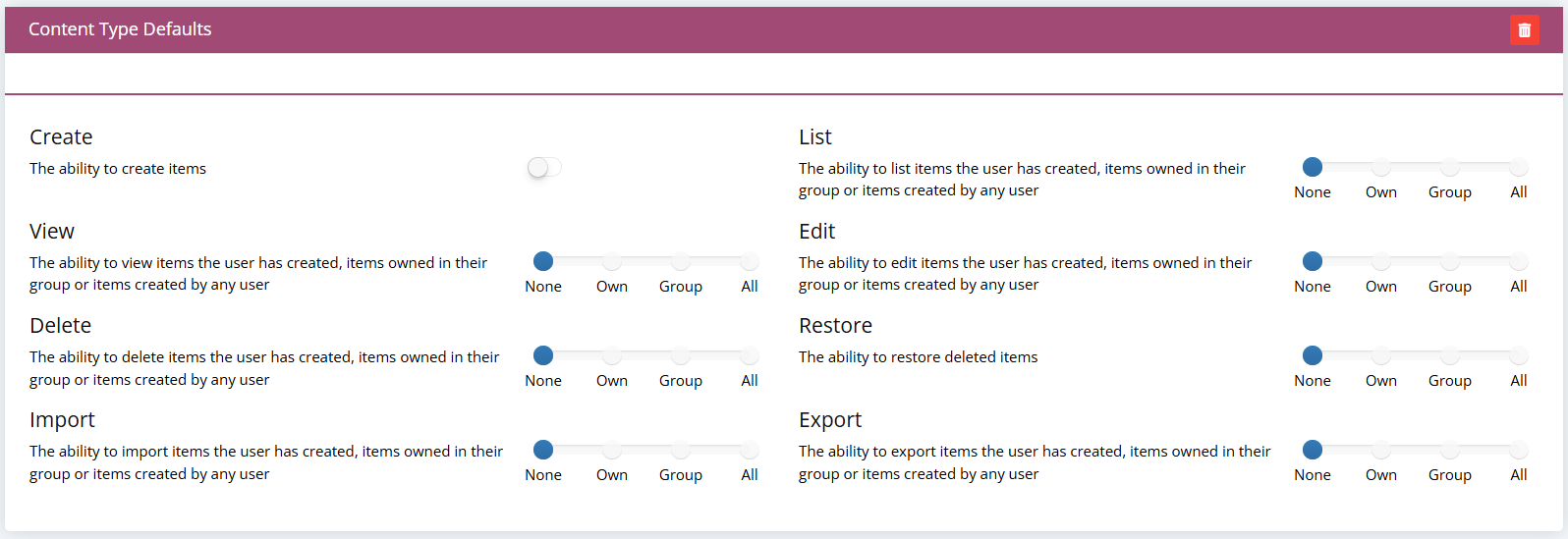
For an explanation on each permission option, please see the table below:
Permission Options
| Option | Definition |
|---|---|
| Create | The Create permission allows you to create new instances within a content type. |
| List | The List permission allows you to list items within a content type. |
| View | The View permission allows you to view items within a content type. |
| Edit | The Edit permission allows you to edit items within a content type. |
| Delete | The Delete permission allows you to delete items within a content type. |
| Restore | The Restore permission allows you to restore previously deleted items within a content type. |
| Import | The Import permission allows you to import data from a spreadsheet into the content type. |
| Export | The Export permission allows you to export data to a spreadsheet from the content type. |
| Run | The Run permission allows you to run any process created on Core. |
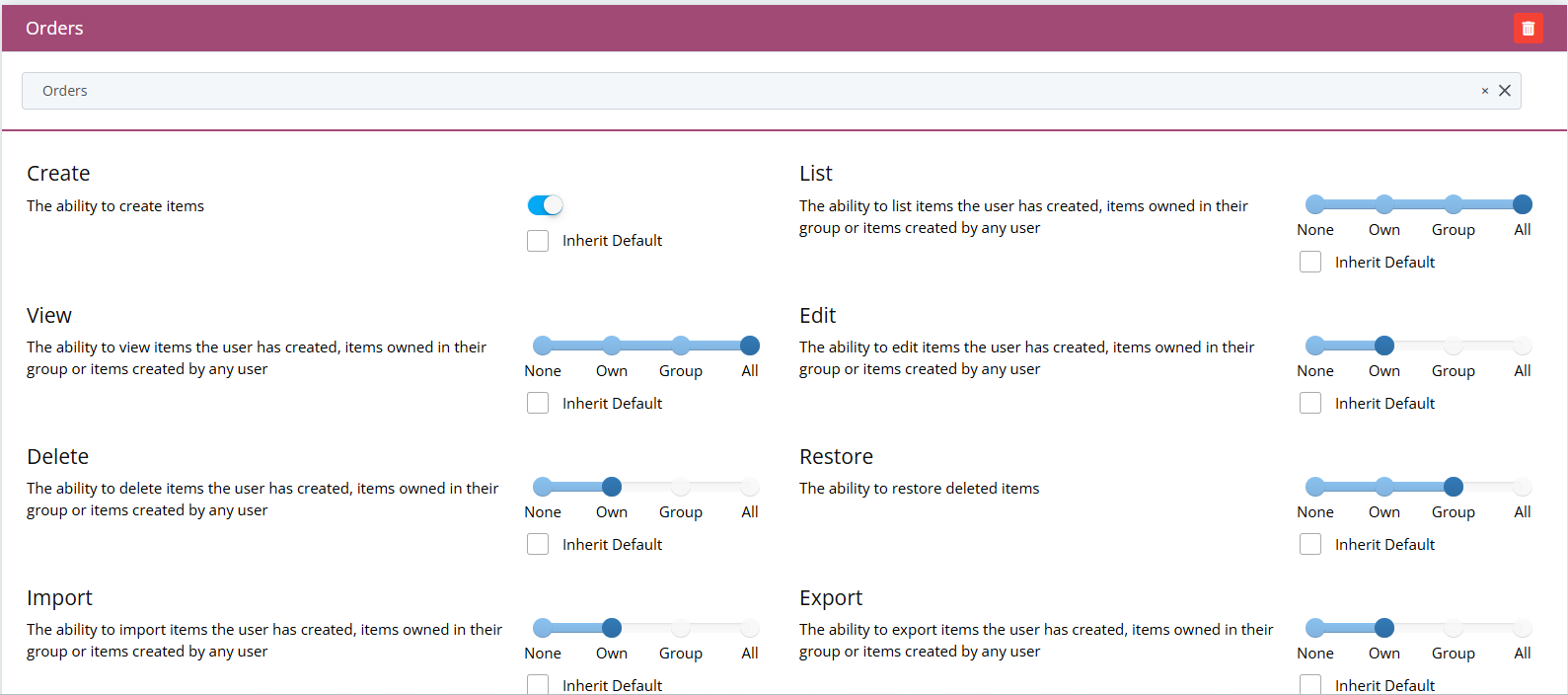
When dealing with permissions you get a number of options that allow you to restrict how much the group or user can see. These options are flexible and can allow you to change a user's permissions based on which content type they are currently accessing.
| Option | Definition |
|---|---|
| All | The All permission allows you to * all items within a content type. |
| Group | The Group permission allows you to * items created only by your group within a content type. |
| Own | The Own permission allows you to * items created only by yourself within a content type. |
If you would like to find out how add a user to a role, you can use the following link to find out more: